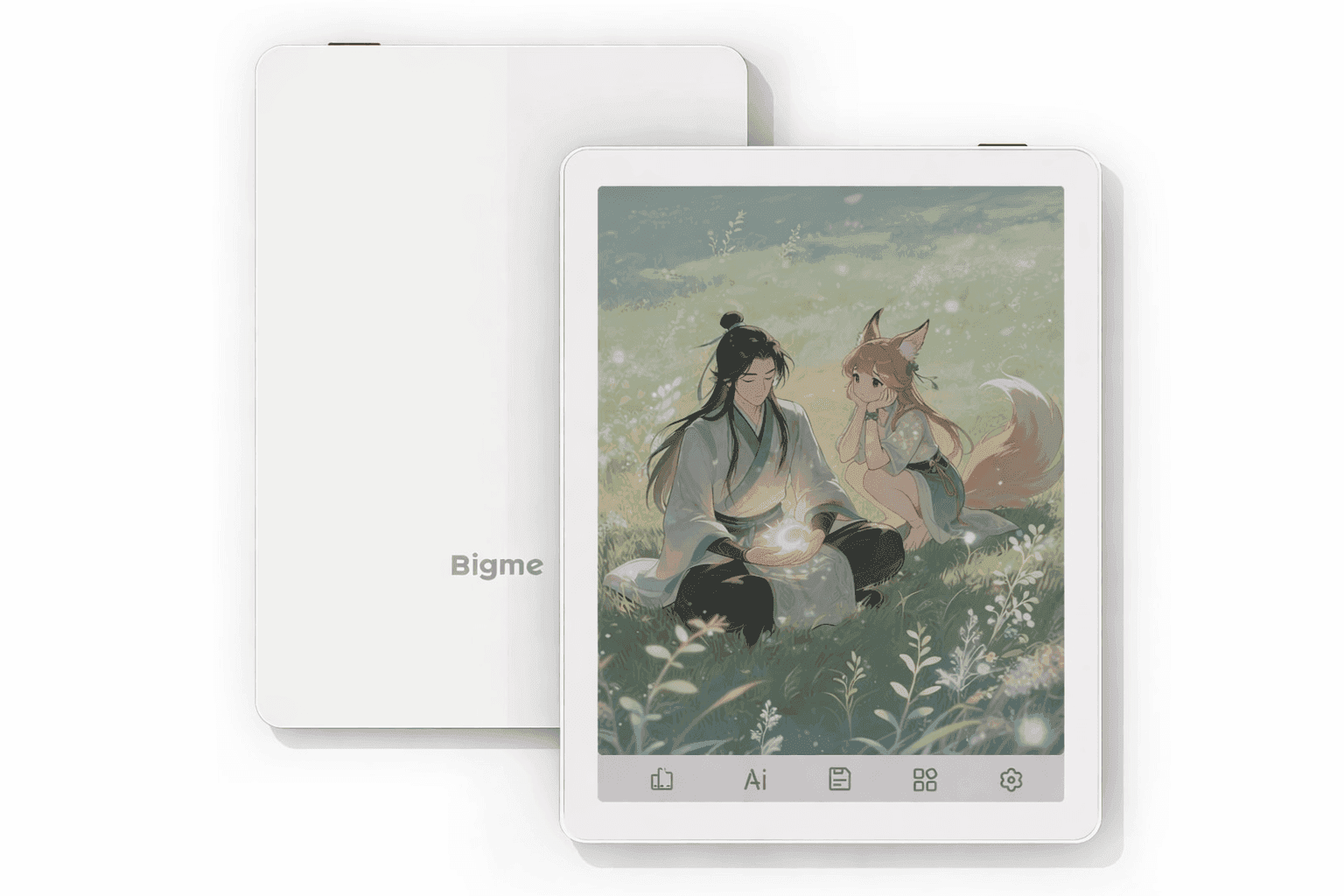
Reading on screens has come a long way, but eye strain and distractions still get in the way. That’s why e-ink devices continue to hold their place, especially for long reading sessions. The Bigme B6 Color E-Reader takes things further by adding color and Android flexibility into a compact device that fits easily in one hand.
You get a mix of reading, note-taking, and app access without carrying multiple gadgets. It’s designed for people who want more than a basic e-reader, yet still prefer the comfort of e-ink. The balance between portability and function makes it stand out in a crowded space.
Bigme B6 Color E-Reader: Features and Performance
The Bigme B6 Color E-Reader sits between a traditional e-reader and a small tablet. It runs on Android 11 and uses a kaleido 3 display e reader setup, which brings color to e-ink without losing its paper-like feel.
What You’re Getting
- 6-inch E Ink Kaleido 3 screen
- 4GB RAM and 64GB storage
- Android 11 with Google Play access
- Wacom stylus support
- USB-C charging and file transfer
At around $220–$240 on Amazon US, it falls into the mid-range category for a compact e ink tablet with this level of functionality.
Display Quality and Reading Experience
The display is where this device draws attention. In black-and-white mode, text looks sharp at 300 PPI. Switching to color drops resolution to 150 PPI, which is noticeable but still usable for most content.
What It Feels Like in Use
- Text stays crisp for novels and articles
- Colors appear soft rather than vibrant
- Works well for comics, charts, and highlights
According to E Ink technology standards, color panels still trade brightness for eye comfort. That’s why colors look muted compared to tablets.
If you mainly read text, the experience feels close to premium e-readers. If you rely on color-heavy content, expectations need to stay realistic.
Performance and Android Experience
This android e reader gives access to the Google Play Store, which changes how you use it.
Everyday Usage
- Install Kindle, Kobo, Libby, or other reading apps
- Use note-taking apps for study or work
- Browse lightly without heavy multitasking
Performance is steady for reading and basic apps. It slows down with heavier tasks, which is expected for a color e ink tablet. E-ink screens refresh slower by design, so smooth scrolling like a phone isn’t the goal here.
Note-Taking and Stylus Experience
The stylus support adds a practical layer to this e ink note taking device.
What Works Well
- Natural writing feel with pressure sensitivity
- Useful for annotating PDFs
- Handwritten notes convert to text
In real use, writing feels close to pen and paper, especially for short notes or quick edits. It’s helpful for students marking up documents or professionals reviewing files.
For long writing sessions, the smaller screen can feel limiting. Still, it handles light note-taking tasks comfortably.
Battery Life in Daily Use
Battery life depends on how you use the device.
- Reading only: up to 1–2 weeks
- Mixed use: around 2–5 days
- Heavy use: 1–3 days
The 2,300 mAh battery performs well for reading-focused use. Adding apps, Wi-Fi, and note-taking reduces that time.
Compared to LCD tablets, it still lasts longer. Compared to basic e-readers, it drains faster due to added features.
Strengths You’ll Notice
- Compact and easy to carry
- Access to Android apps
- Stylus support for notes and PDFs
- Color display for added context
- Solid value for the price
This setup works well for users who want flexibility without switching devices constantly.
Limitations to Keep in Mind
- Colors look muted compared to tablets
- Smaller screen limits workspace
- Performance isn’t built for heavy apps
- Battery drains faster with mixed use
- Software polish feels less refined than major brands
Some users prefer larger e-ink tablets for productivity. Others stick with basic e-readers for simplicity.
This device sits somewhere in between.
Who This Device Fits Best
This compact e ink tablet is a good match for:
- Readers who want color for comics or diagrams
- Students taking notes and reading PDFs
- Users who want Android apps on e-ink
- Travelers who prefer lightweight devices
It may not suit those needing fast performance or vibrant displays.
Conclusion
The Bigme B6 Color E-Reader offers a practical mix of reading, note-taking, and app access in a compact design. It works well for focused tasks and everyday use, especially if portability matters.
If a flexible e-ink device fits your routine, this one is worth exploring. You can check it out on Amazon, compare it with other models, and see what works best for your setup—there are plenty of options out there to explore.