Heating and cooling quietly eat a big portion of a home’s energy bill.
The U.S. Energy Information Administration reports that heating and air conditioning together account for over 50% of residential energy use in many homes.
That makes temperature control one of the easiest ways to reduce energy costs.
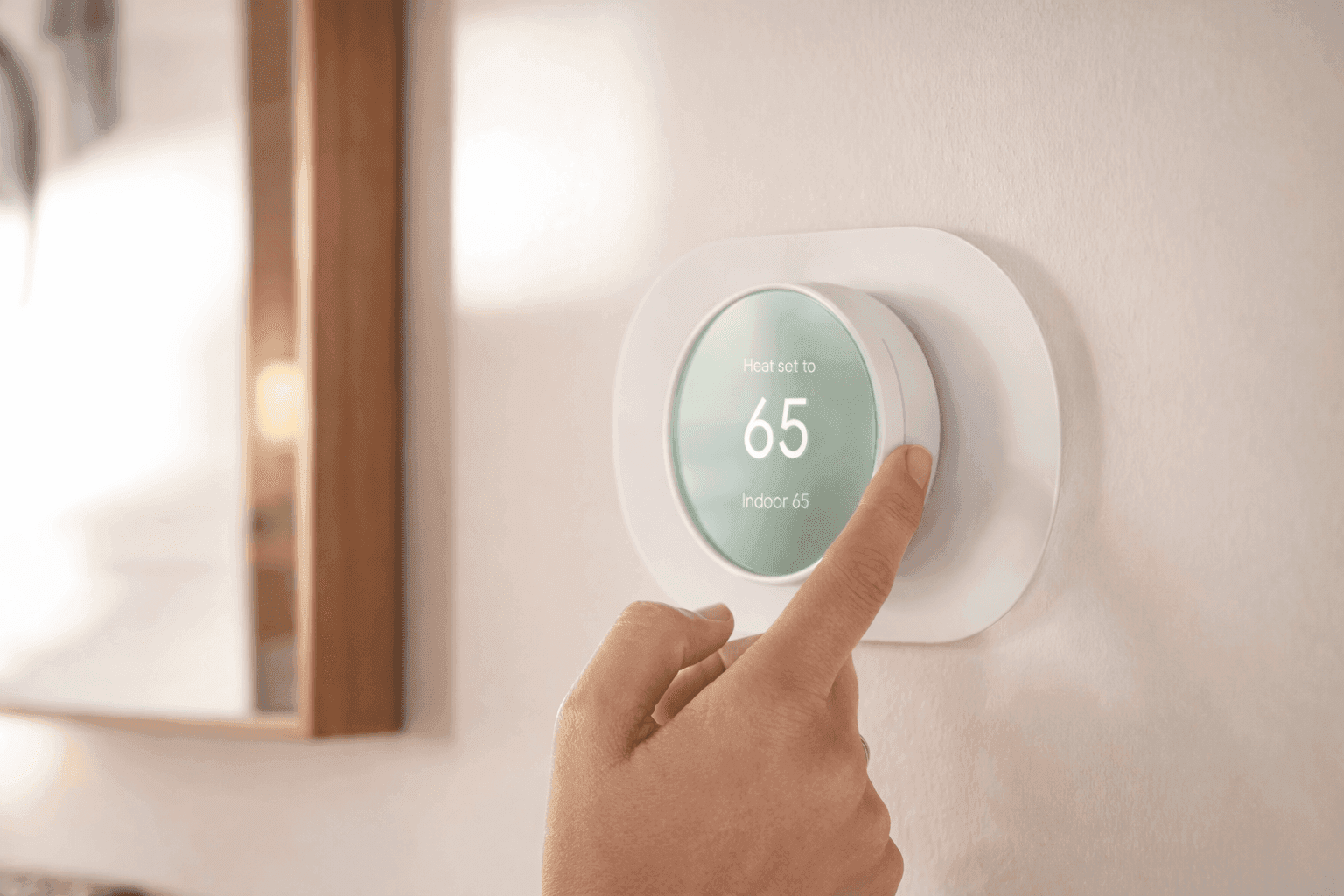
The Google Nest Thermostat focuses on that exact goal.
It connects your HVAC system to smart automation so temperature adjustments happen efficiently without constant manual changes.
Using the Google Home app, voice assistants, and built-in sensors,
it manages heating and cooling based on occupancy and daily patterns.
Many homeowners search for ways to simplify temperature control while cutting energy waste.
This thermostat targets those with a clean design and practical smart features.
Google Nest Thermostat Overview and Key Features
The Google Nest Thermostat launched in 2020 as a simplified and more affordable smart thermostat compared to earlier Nest models.
Retail pricing usually sits between $99 and $130 on Amazon, with an official MSRP of $129.99.
Many utility companies offer rebates that reduce the price significantly.
Key highlights include:
- Wi-Fi connectivity for remote temperature control
- ENERGY STAR certification for energy efficiency
- Smart scheduling through the Google Home app
- Voice assistant support with Google Assistant and Amazon Alexa
- Occupancy sensors that adjust temperature automatically
The thermostat supports roughly 85% of common HVAC systems, including gas furnaces, electric heating, central air conditioning, and heat pumps.
Many homeowners searching for the best smart thermostat for home consider this model because it balances smart features and affordability.
Design and Display: Clean and Minimal
Google focused heavily on aesthetics.
The thermostat uses a round design with mirrored glass, allowing it to blend naturally into modern interiors.
Available color options include:
- Snow
- Charcoal
- Sand
- Fog
The display measures about 2.4 inches with a 240 × 320 resolution LCD screen. A built-in ambient light sensor adjusts brightness automatically, which keeps the screen visible without wasting energy.
Instead of physical buttons, the thermostat uses a side touch slider for manual temperature changes.
It takes a few minutes to get used to, though many users report that it feels intuitive after a short adjustment period.
Smart Features That Help Reduce Energy Use
Energy management is where the thermostat provides real value.
The device includes several automation tools:
Eco Mode
Eco Mode reduces heating or cooling when the house is empty. Motion sensors detect activity and adjust temperatures accordingly.
Home/Away Assist
This feature automatically switches between comfort and energy-saving settings depending on occupancy.
Savings Finder
The system analyzes heating and cooling patterns and suggests adjustments to improve efficiency.
According to Google’s internal testing and ENERGY STAR certification data, Nest thermostats can help households save about 10–12% on heating and up to 15% on cooling costs.
While results depend on climate and HVAC system efficiency, many homeowners notice measurable reductions over time.
Google Nest Thermostat Installation Experience
Installation is one area where the device performs well for DIY users.
Most setups take about 30 minutes using instructions inside the Google Home app.
The package includes:
- Thermostat unit
- Base plate
- Trim plate
- Mounting screws
- Installation guide
The app walks through wiring step by step, which helps prevent mistakes.
One important detail: some HVAC systems require a C-wire for power.
Homes without one may need the Nest Power Connector, which adds a small amount of installation work.
For people searching how to install Google Nest Thermostat, the process usually remains straightforward if the HVAC wiring is compatible.
Google Nest Thermostat Compatibility With HVAC Systems
Before buying any smart thermostat, compatibility matters.
The Google Nest Thermostat works with:
- Gas furnaces
- Electric heating systems
- Oil heating systems
- Central air conditioning
- Heat pumps
- Dual-fuel systems
- Forced-air systems
Google estimates compatibility with about 85% of U.S. HVAC setups.
Older systems with complex wiring sometimes require professional installation.
Running a compatibility check in the Google Home app helps confirm support before purchasing.
Smart Home Integration and Voice Control
The thermostat integrates smoothly with major smart home ecosystems.
Supported platforms include:
- Google Assistant smart home devices
- Amazon Alexa speakers
- Google Nest displays and speakers
- The Google Home app
Voice commands allow temperature changes such as:
“Set temperature to 72 degrees.”
This integration makes the thermostat a common pick for homeowners building a connected home environment.
People searching Google Nest thermostat setup guide often highlight how quickly the device connects with existing Google smart home products.
Energy Monitoring and Usage Insights
One feature that many users appreciate is Energy History.
Inside the Google Home app, you can see:
- Daily HVAC runtime
- Temperature adjustments
- Energy usage patterns
This data helps identify habits that increase energy consumption.
For example, you might notice that heating spikes during certain hours.
Adjusting schedules or Eco Mode settings can improve efficiency.
Energy transparency has become an important feature in modern smart thermostats because it allows homeowners to make informed decisions.
Real-World Experience: Case Study From Smart Home Installers
Several HVAC technicians and smart home installers have shared insights about the Nest Thermostat.
A residential technician in Texas reported installing over 60 smart thermostats in the past two years, including many Nest models.
Key observations:
- Homeowners appreciate remote control during travel
- Energy usage monitoring encourages better habits
- Installation is faster compared to older programmable thermostats
However, technicians often highlight that proper wiring matters. Systems lacking a C-wire occasionally require additional hardware.
From a practical standpoint, the thermostat works best in homes already using Wi-Fi smart devices.
Pros and Cons to Consider
Every smart thermostat includes trade-offs. A balanced review helps set expectations.
Pros
- Affordable price compared to premium smart thermostats
- Simple installation process for many homes
- Strong integration with Google smart home products
- Clean, modern design
- Automated energy-saving features
Cons
- No auto-learning schedule like the Nest Learning Thermostat
- Touch slider takes time to get used to
- Some systems require a C-wire or power connector
For homeowners searching smart thermostat energy savings, the benefits usually outweigh the limitations.
Google Nest Thermostat Technical Specifications
Here are the main hardware specifications.
Dimensions
Diameter: 3.3 inches (84 mm)
Depth: 1.07 inches (27 mm)
Weight
Approximately 4.9 oz (139 g)
Connectivity
Wi-Fi: 802.11 b/g/n (2.4 GHz)
Bluetooth Low Energy support
Sensors
- Temperature sensor
- Humidity sensor
- Motion/occupancy radar sensor
- Ambient light sensor
Power
Powered through HVAC wiring with a built-in rechargeable battery backup.
Monthly energy consumption stays below 1 kWh, which keeps operating costs extremely low.
Is the Google Nest Thermostat Worth Buying?
The Google Nest Thermostat provides a practical balance of affordability, smart automation, and energy savings.
Homes with compatible HVAC systems gain remote temperature control, automation features, and useful energy insights.
The price also stays lower than many competing smart thermostats, which makes it appealing for homeowners exploring smart home upgrades.
That said, advanced users sometimes prefer the Nest Learning Thermostat because of its automatic scheduling features.
Still, for most households searching for an accessible smart thermostat, the Google Nest model covers the essential features without unnecessary complexity.
If the goal is better temperature control and potential energy savings, it remains a solid option to consider.
You can explore the Google Nest Thermostat on Amazon to see current pricing, customer reviews, and installation details.
While checking it out, browsing related smart home devices can help build a more connected home setup.