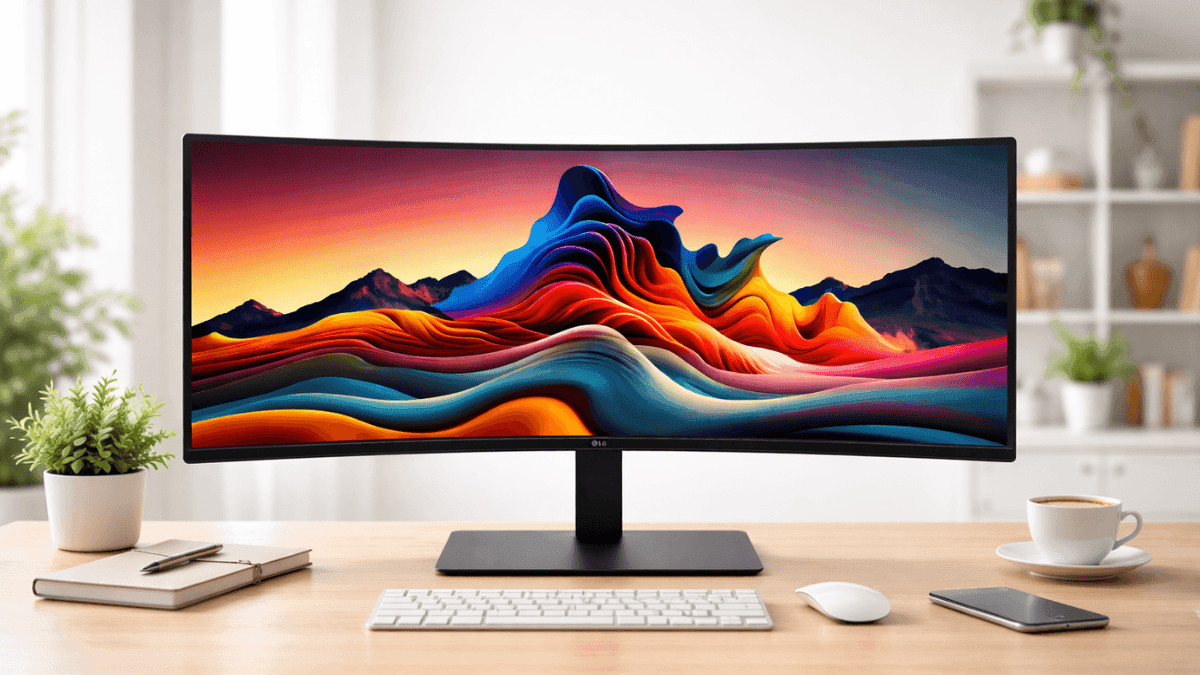
A single large display can change how a desk feels and how work flows. Instead of juggling two screens and tangled cables, a wide panel keeps everything in one place. That idea explains the growing popularity of ultrawide monitors in both professional workspaces and gaming setups.
The LG UltraWide 34 Inch WQHD Curved Monitor stands out in this category thanks to its expansive screen, sharp resolution, and practical multitasking features. The 21:9 display offers a broader workspace than a standard monitor, which helps when editing video timelines, managing spreadsheets, or running several apps side by side.
Industry research from IDC reports that larger displays improve multitasking efficiency by reducing window switching, a common frustration for professionals working across multiple applications. With that in mind, a 34-inch ultrawide can feel like a natural productivity upgrade.
This guide breaks down real specifications, performance insights, pricing, and practical experiences from daily use. Let’s explore what this monitor actually offers and where it fits best.
LG UltraWide 34 Inch WQHD Curved Monitor Overview
The LG UltraWide 34 Inch WQHD Curved Monitor combines a 3440 × 1440 resolution with a curved panel designed to keep content within your natural field of view. LG offers several models in this lineup, including the 34WR50QK-B and 34WR55QB-B.
Typical Amazon US pricing:
- LG 34WR50QK-B – about $279
- Discount sales occasionally drop it near $219
- USB-C equipped variants like the 34WR55QB-B reach $380–$399
This places the monitor in the mid-range ultrawide category. Compared with premium ultrawide displays that exceed $700, the pricing makes this model accessible for many home offices and gaming desks.
Key specs at a glance:
- Screen size: 34 inches
- Resolution: 3440 × 1440 ultrawide monitor resolution
- Aspect ratio: 21:9
- Curvature: 1800R
- Refresh rate: up to 100Hz (some variants higher)
- Adaptive sync: AMD FreeSync monitor support
The display targets users who want a balance between productivity and casual gaming performance.
Display Quality and 3440 × 1440 Ultrawide Monitor Resolution
One of the biggest reasons people choose an ultrawide monitor is workspace. The 3440 × 1440 ultrawide monitor resolution delivers about 33% more horizontal space than a standard 2560 × 1440 display.
In practical terms, that means:
- Two full browser windows side by side
- Video editing timelines with more tracks visible
- Financial charts or coding environments spread across the screen
Pixel density sits around 109 PPI, which keeps text sharp without requiring heavy scaling.
Most LG models in this category use either IPS or VA panels. Each offers different strengths:
IPS panels
- More consistent color accuracy
- Better viewing angles
VA panels
- Higher contrast ratios (around 3000:1)
- Deeper blacks for movies and gaming
Brightness typically reaches 300 nits, which works well for office lighting conditions.
Color coverage reaches 99% sRGB, making the display capable of light photo editing, graphic design, and content creation tasks.
Curved Ultrawide Monitor Benefits for Daily Work
A curved ultrawide monitor helps reduce the head movement required with flat wide panels. The 1800R curvature gently wraps the screen around your field of vision.
During extended work sessions, that design provides several practical advantages:
- More comfortable viewing across the entire display
- Reduced eye fatigue during long spreadsheet or coding sessions
- A more immersive experience while watching widescreen movies
In real use, multitasking becomes smoother. For example, a video editor can place the editing timeline across the bottom while previewing footage and keeping tools visible on the sides.
Traders, programmers, and writers also benefit from the extra horizontal space. Multiple documents remain open without constant switching.
Gaming Performance and AMD FreeSync Support
While the monitor targets productivity, it still performs well for casual gaming.
The display supports a 100Hz refresh rate, which feels noticeably smoother than the traditional 60Hz found on older monitors.
Key gaming features include:
- AMD FreeSync monitor technology to reduce screen tearing
- Dynamic Action Sync for lower input lag
- Black Stabilizer to improve visibility in dark scenes
- Motion Blur Reduction for fast-moving gameplay
A 5 ms response time handles most gaming scenarios without major ghosting. Competitive eSports players usually prefer higher refresh rates such as 165Hz or 240Hz, though the LG ultrawide still provides enjoyable performance for RPGs, racing games, and open-world titles.
Another advantage of 3440 × 1440 ultrawide gaming monitors is immersion. Many modern games support the wider field of view, which expands the visible environment on screen.
Connectivity and USB-C Monitor Features
Connectivity options play a major role in modern workstations, and LG includes a solid set of ports.
Typical port layout includes:
- 2 × HDMI 2.0 ports
- 1 × DisplayPort 1.4
- 3.5 mm headphone jack
Higher-end models add USB-C monitor connectivity with power delivery up to 90W.
That single cable can:
- Send video from a laptop
- Charge the laptop battery
- Connect peripherals through a USB hub
For professionals using MacBooks or modern Windows laptops, this feature simplifies desk setups significantly.
Some versions also include Auto Input Switch, which detects the active device automatically. That makes switching between a desktop PC and laptop quick and seamless.
Productivity Tools and Software Features
LG includes several software tools designed to improve multitasking.
OnScreen Control
This application allows quick adjustments for screen layout and monitor settings without touching physical buttons.
Users can divide the screen into several preset layouts, which helps manage multiple windows efficiently.
Picture-by-Picture Mode
This feature displays two separate devices on the same monitor. For example:
- A work laptop on one side
- A personal desktop computer on the other
Dual Controller
With this feature, one keyboard and mouse control two connected computers.
This setup works well for content creators who manage separate editing and streaming systems.
Design, Build Quality, and Ergonomics
The monitor follows LG’s clean ultrawide design style.
The three-side borderless frame keeps attention on the screen while reducing distractions. A matte anti-glare coating prevents reflections from office lighting.
Key physical characteristics:
- Width: about 32 inches (810 mm)
- Height without stand: 14.1 inches (358 mm)
- Weight: around 10.8 lbs without the stand
The stand supports tilt adjustment, while some models include height adjustment as well.
Users who prefer monitor arms can take advantage of the 100 × 100 mm VESA mount, which allows flexible positioning.
Cable management clips built into the stand keep desks tidy.
Limitations and Potential Drawbacks
Every monitor has trade-offs, and this one is no exception.
HDR Is Basic
The display supports HDR10, though brightness levels limit its impact. High-end HDR monitors deliver significantly stronger highlights.
Not a 4K Display
Some users prefer the higher pixel density of 4K screens. A 3440 × 1440 ultrawide monitor resolution focuses more on width than ultra-fine detail.
Speakers May Be Missing
Certain models do not include built-in speakers, so external speakers or headphones may be required.
VA Panel Motion Smearing
VA variants may show slight motion blur in darker scenes during fast gameplay.
Despite these points, many users still consider the display an excellent value in its price category.
Conclusion
The LG UltraWide 34 Inch WQHD Curved Monitor delivers a strong mix of productivity features, immersive visuals, and reasonable pricing. Its ultrawide layout improves multitasking, while the curved design keeps long work sessions comfortable. Gaming performance remains solid thanks to a 100Hz refresh rate and AMD FreeSync support.
Some limitations exist, including basic HDR performance and the absence of speakers on certain models. Still, the overall value remains appealing for users who want a large workspace without spending premium ultrawide prices.
If a wider screen sounds appealing, explore the latest listings and current discounts on Amazon. You can also browse other ultrawide monitors and accessories to build a more efficient workspace.